Google - Languages

Hiển thị các bài đăng có nhãn Blog SEO. Hiển thị tất cả bài đăng

SEO Tạo “Bộ từ khóa tự động” cho bài viết

Một thủ thuật mà Anhvo đã xuất bản từ lâu rồi, nay theo yêu cầu SEO blog của 1 vài bạn, nên mình xin được phép post lại thủ thuật này. Ngoài việc cập nhật thêm 1 ít từ khóa, mình còn chỉnh sửa 1 chút về file javascript của Anhvo.

Bộ từ khóa tự động là một trong những công cụ cho phép hiển thị các từ, cụm từ trong bài viết trùng với thư viện định sẵn. Như thế độc giả dễ dàng tìm đến các vấn đề khác mà bài viết có đề cập tới. Đây cũng là 1 cách để tăng traffic cho blog của bạn.
Hình ảnh minh họa:

☼ Sau đây là các bước thực hiện:
1. Vào bố cục
2. Vào chỉnh sửa code HMTL
3. Chọn mở rộng mẫu tiện ích
4. Tìm đoạn code sau:
<data:post.body/>
5. Thay đoạn code vừa tìm được bằng đoạn code bên dưới:
<b:if cond=’data:blog.pageType != &quot;item&quot;’>
<data:post.body/>
</b:if>

<b:if cond=’data:blog.pageType == &quot;item&quot;’>
<div id=’post_body‘>
<data:post.body/>
</div>
</b:if>
<b:if cond=’data:blog.pageType == &quot;item&quot;’>
<script src=’http://data.fandung.com/js/keyword01.js‘ type=’text/javascript’/>
<script src=’http://data.fandung.com/js/keyword02_2_.js‘ type=’text/javascript’/>
<div style=’border:1px silver dashed; background:#FFFFCC; padding:5px’>
<script type=’text/javascript’>
home_page2 = &quot;fandung.blogspot.com&quot;;
keyword_text = &quot;<b>Từ khóa :</b> &quot;;
window.onLoad = makeKeywordForPost(&quot;post_body&quot;);</script>
</div>
</b:if>
- Thay dòng code fandung.blogspot.com thành địa chỉ URL của blog bạn.
6. Save template.
Một vài lưu ý nhỏ:
a. Thêm các từ khóa của bạn vào file keyword01.js
Do nội dung của mỗi blog khác nhau, vì thế các từ khóa sẽ khác nhau. Để cho tiện ích hiển thị tốt các từ khóa có trong các bài viết ở blog của bạn, thì bạn phải tự bổ xung các từ khóa riêng biệt trong blog của mình. Để làm điều này, các bạn thực hiện các bước như sau:
- Tải file javascript keyword01.js về máy của bạn.
- Dùng Notepad để mở nó lên :(như bên dưới)

- Để thêm các từ, bạn chỉ việc thêm từ khóa vào trong dấu ngoặc kép (ví dụ : “Vui Cười”, ) , nhớ sau mỗi từ khóa bạn thêm vào phải có dấu phẩy (,) theo sau. Chỉ từ khóa cuối cũng là không có dấu phẩy theo sau.
- Sau khi bổ xung xong các từ khóa, save file JS đó lại và upload nó lên 1 host nào đó. Nếu bạn nào ko có host có thể dùng host free như mình (http://www.110mb.com/), rất dễ để đăng kí. 
b. Một số thay đổi nhỏ từ thủ thuật gốc của Anhvo.
- Ban đầu mình test thử thủ thuật của Anhvo thì có 1 trục trặc nhỏ, là khi nhấp vào từ khóa để tìm kiếm trong bộ máy Google thì không hiển thị được kết quả, mình ko biết đây có phải là lỗi ko, nhưng như thế ko thể truy xuất được kết quả từ Google.
Hình ảnh minh họa:

- Và sau khi có 1 chút thay đổi nhỏ trong file JS thì mình được kết quả như bên dưới:
Nhấp vào ảnh để xem kích thước thật

Với việc chỉnh sửa này, Google chỉ liệt kê các kết quả từ việc tìm kiếm từ khóa trên blog của bạn.cái này rất có ích cho seo

The 22 Best Free Firefox SEO Plugins & Tools

If you’re serious about doing SEO yourself – then you need to turn your website browser into one of your most valuable SEO tools.
Any experienced Search Engine Optimization specialist will swear by his top SEO plugins and add-ons. Having vital SEO info and stats at your fingertips is not only a great timesaving, but ensure’s SEO is never far from your mind when your out and about on the internet.
To save you hunting for hours to find the best ones, here’s a list of all the SEO plugins you should consider having on your Firefox browsers.
A4SEO is an extension for the webmaster interested in SEO. At the moment, it provides entries into the context menu from which to examine the backlinks of the current site with a few mouse clicks, similar to the IE Google Toolbar.
Foxy SEO Tool is a free, open source toolbar that provides quick and easy access to a multitude of search engine functions such as Google Site, Yahoo! Site Explorer, Live Fromlinks. Also included are famous web traffic analysis sites such as Alexa, Compete, Quantcast, popular statistic aggregators like Quarkbase and WebSiteOutlook.

5 Tips to Improve Your Search Ranking with Good Content

One of the most important on-page SEO factors is often forgotten by many website owners – content. I like the old saying, “content is king” because it still plays a huge part in determining how websites rank in search engines. Generally, the more relevant content you can provide the better.


Other factors do play a part, such as quality, relevance and optimizing your content, but generally more is better. Why? Because search engine spiders look at the words on your website to assess its topic, content and relationship with other pages. The more content you provide the more text the search engine spider has to read and the more valuable your website will be to search engines and visitors. So here are 5 tips to keep in mind when creating search friendly content:

Bing SEO – How to Get Top 10 Rankings in Bing.com

We have been heavily documenting the rise of Bing on this blog, and there’s no denying it has definitely improved Microsoft’s position in terms of search market share.
So now the question for website owners and SEO’ers remains – “How do I rank higher in Bing and drive more traffic to my website?”
While the jury is still out on definitive strategies for top ranking success in Bing, there seems to be a growing chorus of support for certain tactics, which I have detailed below:
  • Backlinks While backlinks are still used in the bing algorithm, it seems not to the same level as Google. Backlink counts for top 10 sites in Bing are much lower than Google, suggesting less importance.

Top 5 Free Backlink Analysis and Tracking Tools

We all know that links are the holy grail of top Google rankings, but how many of you actually track where you’re links are coming from and how they’re changing and performing.
Tracking your backlinks doesn’t have to be a time and resource intensive process thanks to a range of free and fairly cheap backlink analysis tools that are now available.
I’ve detailed my top 5 Free backlink analysis tools which I recommend for tracking and monitor your link building efforts.
  • Yahoo! Site Explorer/ Bing Webmaster Tools
With the Yahoo! Site Explorer tool, you can view the links that the Yahoo! Search engine is seeing point to your site, plus more information that Yahoo! has about your site, if you’re site is verified in the Yahoo! system.
As Bing and Yahoo! merge forces, they have confirmed that Yahoo! Site Explorer will be migrated into the Bing webmaster area.
The Yahoo!/Bing Site Explorer historically provides a better profile of your inbound links than Google tools as they tend to include almost all of them whereas Google chooses to filter links out.
Within the Site Explorer tool you’ll be able to see the total links to a site and specific pages and can include or exclude links within a website to get a clear picture of your website’s link profile.
  • Google Webmaster Tools
Google’s webmaster center also provides some valuable link profile information. While it’s still not what I consider to be a completely accurate picture of a website’s backlinks, Google has increase the number of links it tracks.
Google’s “Links to Your site” area allows you to drill down to a page level to see the inbound links and it also provides a ranking of the top “Anchor Text” for the links pointing to your website (helps to see if your SEO efforts are on target for the right keywords)
You can also download all Google’s data so you can manipulate it in your favourite spreadsheet program.
  • Link Diagnosis
A clean well designed free link checking tool that uses a browser plugin to analyse the links to a website. While it doesn’t appear to find all links, it gathers a healthy cross section and even locates sites which have since removed links to your site.
It includes information such as PR, PageRank, Anchor text, outbound links, link strength and link history.
  • Open Site Explorer
Open Site Explorer comes from the well respected SEOmoz team. Offering similar insights to the Yahoo! site explorer tool (probably a hat tip for the name also), Open Site Explorer also includes some important SEOmoz specific link and authority factors.
The only catch is that you’ll need to go pro for a full review of your link profile, which for the reasonable well priced membership is a good investment in your SEO.
  • SEOBook Backlink Analyzer
Another tool from one of the SEO industry’s more respected tool providers – the SEOBook Backlink Analyzer is a desktop tool that provides some valuable insights into your website’s link profile.
It analyzes / grabs anchor text, IP addresses, Alexa data, page title, number of links on page, and number of outbound links on a page. It basically is a big spreadsheet which makes it quick and easy to view linkage data for a paticular site.
There’s many more tools out there, both free and paid, but I’ve found these one’s to offer enough insight for both novice and more experienced SEO needs.
If you use a different tool to track your link building efforts, share them with your fellow readers below.

ineedhits

The 10 Minute Google Page Index Check!

“Why isn’t my webpage showing up in Google?” is one of the most common questions we get asked. So when I came across this guide from SEOmoz, I just had to share it with you.
Have you got 10 minutes to spare today? According to Dr. Pete at SEOmoz, 10 minutes is all it takes to work out why your page is missing from Google.

Here is a breakdown of the tasks in 10 minutes so you can follow along:

0:00-0:30 – Confirm the site is indexed with a Google site: command search.
10minute1
If your website is within the results from the search, then it is indexed in Google and you have nothing to worry about.

Công nghệ lăng xê Blog dành cho các Blogger

Khuyến cáo những ai theo tư tưởng blog là nhật ký cá nhân không nên đọc bài này. Tôi viết bài dưới đây để chia sẻ một ít thông tin thu thập được với những người theo xu hướng "công cộng hóa" blog.


Quan hệ Blog
Trước tiên nói về vấn đề này, có nhiều ý kiến trái chiều xung quanh khái niệm PRO (chuyên nghiệp). Theo ý kiến của Andre, nếu bạn muốn blog của bạn theo con đường chuyên nghiệp hóa thì bạn phải xác định hướng đi cho blog của bạn là: Nó sẽ không còn riêng tư nữa mà sẽ theo hướng cộng đồng hóa từ mặt nội dung tới hình thức. Nó sẽ ngốn của bạn khá lớn thời gian (bạn có thể thấy các bloggers chuyên nghiệp đa phần họ đều dành rất nhiều thời gian cho blog của họ), những bài viết của bạn chủ yếu tập chung phục vụ độc giả cộng đồng.

222+ web directory tạo Backlink free chất lượng cao cho quảng bá - SEO website

Backlink là một trong những chìa khóa quan trọng nhất trong việc tăng lượng visitors và pagerank. 1 visitor thì không thể nào tạo nên một backlink nhưng 1 backlink thì có thể tạo nên hàng trăm visitor. Vì thế mà việc tạo backlink có thể nói là nhiệm vụ hàng đầu trong chiến dịch SEO, tăng pagerankquảng cáo cho blog của bạn.
Hiện đang có rất nhiều cách để tạo backlink như: Thêm chữ kí ở các diễn dàn, comment trên nhiều blog và vvv... nhưng những cách đó cần mất rất nhiều thời gian nhưng vẫn không đem lại hiệu quả cao vì bây giờ hầu hết các forum và blog hiện đang add tag nofollow đối với các link trong chữ kí hay link trên comment.


  • Có phải bạn đang tìm kiếm thêm nhiều backlink có chất lượng cho Website của bạn để làm tăng google page rank nhưng bạn hoàn toàn không biết một directory nào để add thêm Website bạn vào ngoài MyBlogLog hay Technorati. Vậy, nơi nào có thể giúp bạn đưa Website mình vào mà không cần backlink trở lại ? Hôm nay có lẽ là một ngày may mắn của bạn bởi vì tôi có những gì bạn đang cần.

Bộ 10 công cụ SEO miễn phí từ Google

Google hiện nay cung cấp rất nhiều công cụ cho người sử dụng web ở nhiều lĩnh vực  khác nhau. Ở mảng thiết kế web, phát triển web cũng có khảng 10 công cụ SEO miễn phí mà rất hữu dụng dành cho các webmaster muốn áp dụng chiến lược quảng cáo trực tuyến trên Google.


Dưới đây là danh sách 10 công cụ miễn phí từ Google mà các webmaster nên dùng:

Thủ thuật tạo Favicon icon cho trang Blogger blog trong 5 phút.

Với thủ thuật trong bài viết ,bạn có thể tạo một Favicon cho trang Blogger blog (blogspot.com) trong vài phút ,cách này cũng áp dụng cho các nền blog khác và các trang web .

Cần nhắc lại về các chỉ dẫn của bài này là mới nhất và chưa hề phổ biến ,thủ thuật có thể giúp một Blogger “tay mơ” tạo cho blog của mình có biểu tượng Favicon ngay lập tức.Thật ra Favicon cũng giống như một bảng hiệu nhỏ là biểu trưng cho trang blog giúp cho blog có tính chuyên nghiệp hơn.
Thủ thuật này sẽ giúp bạn tạo Favicon ngay tại trang blog editor ,tất cả sẽ thực hiện nơi viết bài hàng ngày của bạn trên Blogger.Bạn sẽ không cần các thao tác như nhiều chỉ dẫn cũ đã có trên mạng về tạo Favicon như:

Thủ thuật SEO cho Blogspot

Thủ thuật SEO dành cho những ai sử dụng BlogSpot . BlogSpot ( hay còn gọi là Blogger ) là một dịch vụ miễn phí của Google cho phép tạo 1 trang blog riêng . Trên thế giới , Blogspot là một mạng xã hội nhiều người sử dụng nhất tính đến thời điểm này . Việc tạo blog trên đây là sự lựa chọn đúng đắn cho những người bắt đầu làm blog riêng .


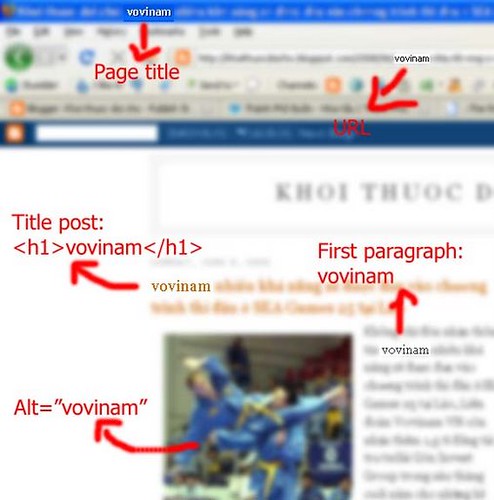
Đầu tiên là xác định một cái keyword nào đó, ở đây em ví dụ là vovinam:

1. Nó phải xuất hiện ở url. Khi post bài, blogspot sẽ lấy khoảng 6 đến 7 từ đầu tiên của title đặt cho url. ví dụ blog của em là vuacuagai.blogspot.com và post 1 bài về vovinam là vovinam se duoc dua vao chuong trinh thi dau seagames 25 thì nó sẽ đặt là vuacuagai.blogspot.com/.../vovinam-se-duoc-dua-vao-chuong-trinh.html. Do đó các bác lưu ý là cố gắng đặt tựa bài sao cho keyword xuất hiện trong 6 hay 7 vị trí đầu nhé.